shell 脚本是处理这类工作最为简单,快捷的方式。
修改后缀
Show/Hide the code
1
| for file in *.原后缀; do mv "$file" "`echo $file | sed s/.原后缀/.新后缀/`"; done
|
格式转换
heic 转 jpg
首先,安装转换工具。
Show/Hide the code
然后可以使用 heif-convert 命令转换。
Show/Hide the code
1
| heif-convert input.heic output.jpg
|
批量转换,命令如下。
Show/Hide the code
1
| for file in *.heic; do heif-convert "$file" ${file/%.heic/.jpg} && rm "$file"; done
|
这条命令的原理是:根据当前文件夹下的 .heic 文件生成 .jpg 文件,如果成功生成则删除原 .heic 文件,如果未成功则不会删除原文件。 此外,如果未能生成 .jpg 文件的原因是 Input file 'filename.heic' is a JPEG image ,那么可以使用批量修改后缀的方法直接将文件的后缀改为 .jpg。
flac 转 mp3
首先,安装转换工具:
Show/Hide the code
然后可以使用 ffmpeg 命令转换,除了格式转换,ffmpeg 还支持很多功能,具体可以查阅文档。
Show/Hide the code
1
| ffmpeg -i 'input.flac' -ab 320k -map_metadata 0 -id3v2_version 3 'output.mp3'
|
批量转换,命令如下:
Show/Hide the code
1
| for file in *.flac; do ffmpeg -i "$file" -ab 320k -map_metadata 0 -id3v2_version 3 ${file/%.flac/.mp3} && rm "$file"; done
|
原理同上。
速度优化
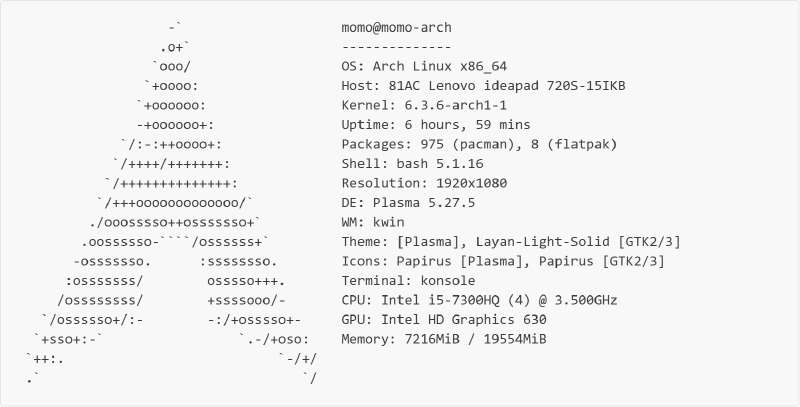
使用 for 循环的方式,所有文件排着队一个一个的被 ffmpeg 处理。 这种方式固然可以,但效率太低了。 我的运行环境如下:
Show/Hide the code
 1
 2
 3
 4
 5
 6
 7
 8
 9
10
11
12
13
14
15
16
17
18
19
| -` momo@momo-arch
.o+` --------------
`ooo/ OS: Arch Linux x86_64
`+oooo: Host: 81AC Lenovo ideapad 720S-15IKB
`+oooooo: Kernel: 6.3.6-arch1-1
-+oooooo+: Uptime: 6 hours, 59 mins
`/:-:++oooo+: Packages: 975 (pacman), 8 (flatpak)
`/++++/+++++++: Shell: bash 5.1.16
`/++++++++++++++: Resolution: 1920x1080
`/+++ooooooooooooo/` DE: Plasma 5.27.5
./ooosssso++osssssso+` WM: kwin
.oossssso-````/ossssss+` Theme: [Plasma], Layan-Light-Solid [GTK2/3]
-osssssso. :ssssssso. Icons: Papirus [Plasma], Papirus [GTK2/3]
:osssssss/ osssso+++. Terminal: konsole
/ossssssss/ +ssssooo/- CPU: Intel i5-7300HQ (4) @ 3.500GHz
`/ossssso+/:- -:/+osssso+- GPU: Intel HD Graphics 630
`+sso+:-` `.-/+oso: Memory: 7216MiB / 19554MiB
`++:. `-/+/
.` `/
|
经过测试,处理 10 个 .flac 文件所需时间为 59 秒。 速度慢的原因是目前使用的是单进程串行的处理方式,为了提高速度,可以同时启动多个进程并行处理。
使用终端工具GNU Parallel,命令如下:
Show/Hide the code
1
| ls *.flac | parallel -j4 "ffmpeg -i {} -ab 320k -map_metadata 0 -id3v2_version 3 {.}.mp3 && rm {}"
|
parallel 将从标准输入中读取文件列表,-j 指定了并行进程数,{} 代表输入文件名,{.} 代表没有后缀的输入文件名,其他用法可以 man parallel 查看。
经过测试,在同样环境下处理同样的 .flac 文件仅需 17 秒。